
Introduction
In today’s digital world, having a website is very important. People use websites to share information, promote their business, and earn money online. But many beginners think that creating a website is difficult and needs coding skills. This is not true.
WordPress makes website creation easy for everyone. It is one of the most popular website-building platforms in the world. Millions of websites are made using WordPress because it is simple, flexible, and beginner-friendly.
This blog is written for beginners who want to understand what WordPress is, how it works, and why it is the best choice for creating a website or blog. By the end of this guide, you will have a clear idea of WordPress and its benefits.
What Is WordPress?
WordPress is a free software that helps you create a website or a blog easily.
You do not need to know coding or programming to use WordPress.
WordPress is an open-source platform, which means anyone can use it, change it, and improve it for free. Many developers around the world work together to make WordPress better and safer.
With WordPress, you can create different types of websites such as:
- Personal blogs
- Business websites
- Online stores
- Personal website
WordPress gives you ready-made designs called themes and extra features called plugins. These tools make website building simple, even for beginners.
In short, WordPress is a powerful and easy tool used to build websites and blogs without technical skills.
4. WordPress.com vs WordPress.org
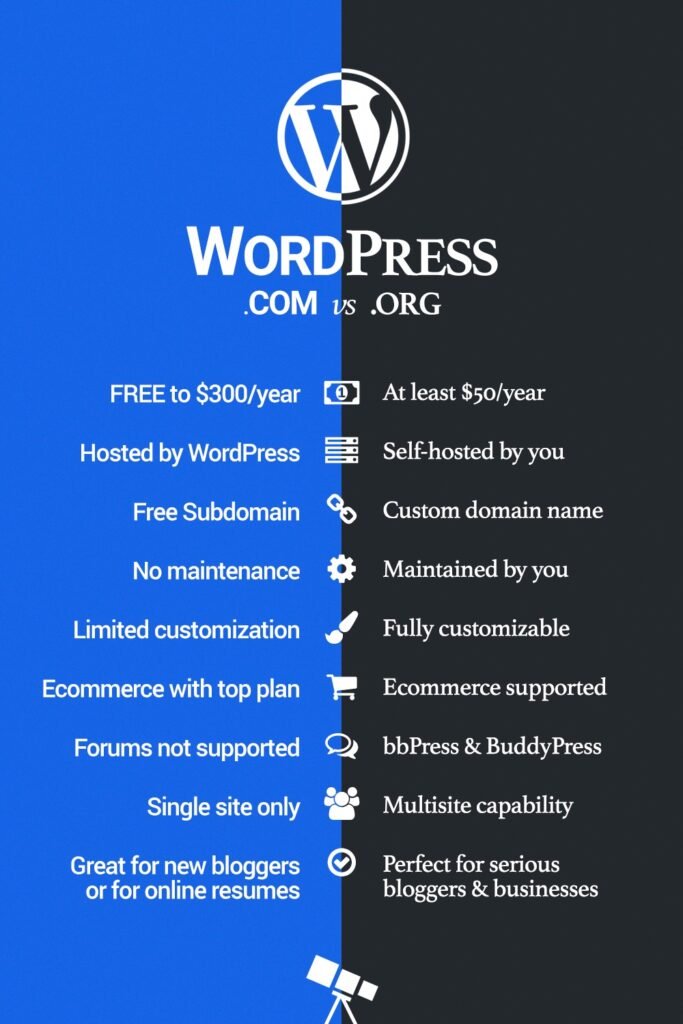
When people are new to WordPress, they often get confused between WordPress.com and WordPress.org. Both use WordPress, but they are not the same. Understanding this difference is very important before starting your website.
What Is WordPress.com?
WordPress.com is a hosted platform. This means WordPress takes care of everything for you, such as hosting, security, and updates.
You can create a website without buying hosting separately. WordPress.com is easy to start, especially for beginners who just want a simple blog.
However, WordPress.com has many limitations:
- You cannot install all plugins
- You have limited control over design
- You may see WordPress ads on your website
- Advanced features are available only in paid plans
WordPress.com is good for personal blogs or hobby websites, but not ideal for professional or business use.
What Is WordPress.org?
WordPress.org is the self-hosted version of WordPress. Here, you download WordPress software and install it on your own hosting.
With WordPress.org, you have full control over your website. You can:
- Install any theme or plugin
- Customize your website freely
- Create online stores
- Monetize your website in any way
You need to buy:
- A domain name
- Web hosting
Although it needs a little learning in the beginning, WordPress.org gives you complete freedom and long-term growth.
Key Differences Between WordPress.com and WordPress.org
| Feature | WordPress.com | WordPress.org |
|---|---|---|
| Hosting | Included | You manage it |
| Plugins | Limited | Unlimited |
| Customization | Limited | Full control |
| Monetization | Restricted | No limits |
| Best for | Personal blogs | Business & professionals |
Which One Should You Choose?
If you are a beginner who just wants to try blogging, WordPress.com can be a good starting point.
But if you want to:
- Build a business website
- Earn money online
- Learn professional web skills
- Have full ownership of your website
Then WordPress.org is the best choice.
Most bloggers, freelancers, and business owners prefer WordPress.org because it gives freedom, flexibility, and control.
What Can You Create With WordPress?
One of the biggest reasons why WordPress is so popular is its flexibility. With WordPress, you can create almost any type of website, from a simple blog to a complete online business website.
1. Blog Websites
WordPress started as a blogging platform, and it is still the best tool for blogging. You can easily write posts, add images, create categories, and manage comments. That is why many bloggers choose WordPress to start their blogging journey.
2. Business Websites
Small and large businesses use WordPress to create professional business websites. You can showcase your services, add contact forms, display customer reviews, and build trust with your audience. WordPress helps businesses grow their online presence.
3. E-commerce (Online Store)
With WordPress, you can create an online store using plugins like WooCommerce. You can sell products, accept online payments, manage orders, and reach customers worldwide. This makes WordPress a powerful choice for e-commerce websites.
4. Portfolio Websites
Freelancers, designers, photographers, and developers use WordPress to create portfolio websites. You can show your work, skills, and experience in a professional way and attract clients.
5. News & Magazine Websites
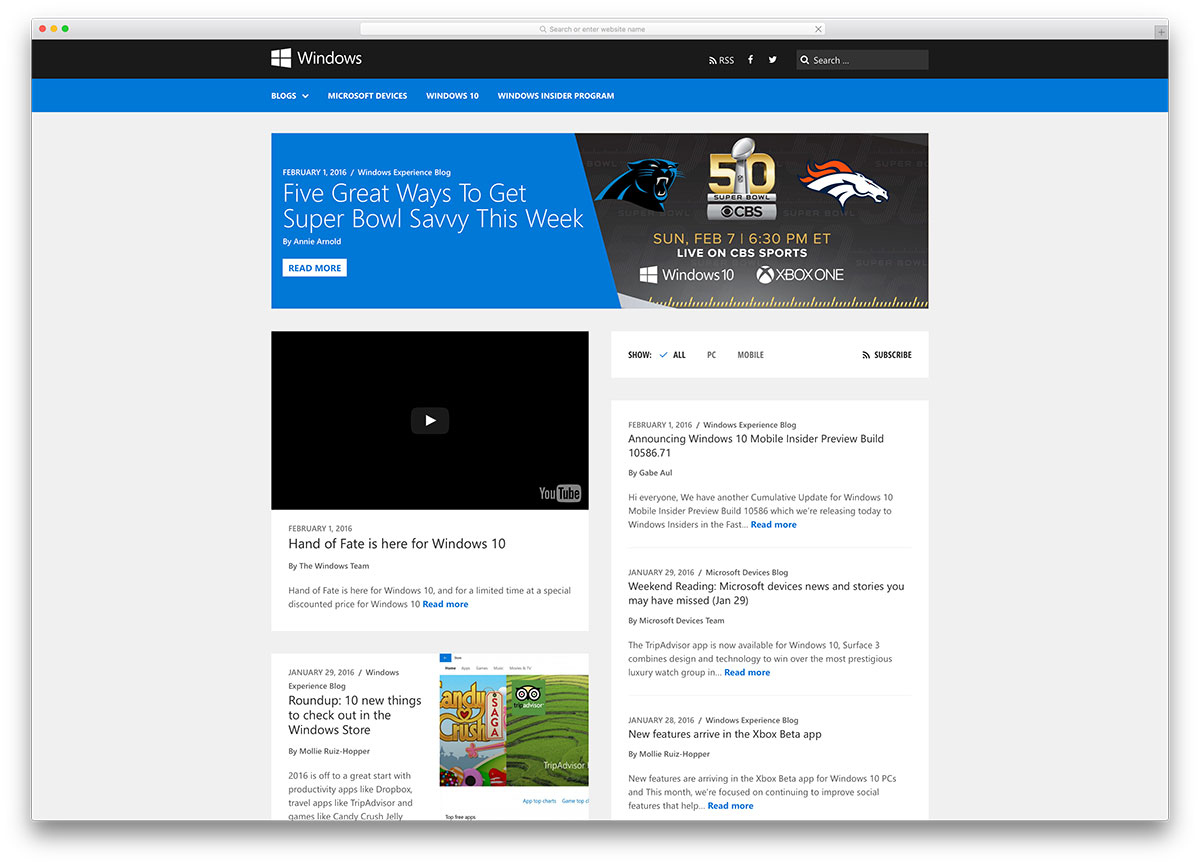
WordPress is also used to create news, magazine, and content-rich websites. You can publish articles daily, manage multiple authors, and organize content easily.
6. Educational & Course Websites
Many people use WordPress to create online courses and educational websites. You can share lessons, videos, and learning materials for students.
Why WordPress Is Best for All These Websites
WordPress gives you:
- SEO-friendly structure
- Mobile-responsive designs
- Thousands of themes and plugins
- Easy content management
What Can You Create With WordPress?
6
How to use these images in your blog (simple way)
ou can place one image after each sub-heading, like this:
- After Blog Websites → use WordPress blog website example
- After Business Websites → use WordPress business website design
- After E-commerce → use WordPress WooCommerce store
- After Portfolio Websites → use WordPress portfolio website
- After News & Magazine Websites → use WordPress news magazine website
- After Educational Websites → use WordPress online course website